It is important to understand the basic terms of SEO because it gives you a clear idea of how SEO actually works. When you get a grip on these simple terms, the further learning process also feels easy to you. When you know these terms well, you can improve your pages in a practical way and bring more visitors to your website.
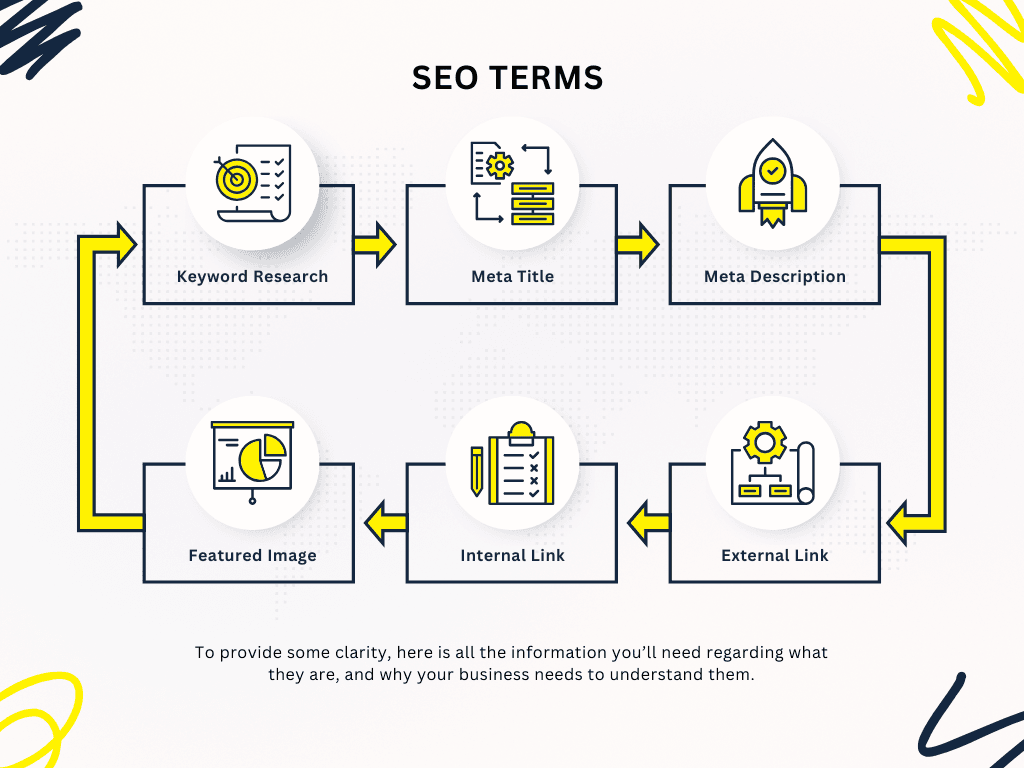
SEO Terms Explained in Simple Language
1. SEO Keyword Difficulty
Keyword difficulty tells whether ranking for a keyword is easy or hard. If the number is high, big websites are already ranking there.
If the number is low, it is possible for a new website to rank as well. When you choose keywords, take words that have a good search volume and where the competition is not very high.
This way you can start easily and slowly grow your website.
2. SEO Crawling
Crawling means when search engine bots check your website. They open pages, click on links to go further, and collect information.
Sometimes if they find broken links or some file is getting blocked, the bots cannot scan the page properly.
If the website is simple and all the links are working fine, crawling feels easy for the bots and the site appears better.
3.Indexing in SEO
After crawling, the search engine decides if a page should be kept in its database or not. This process is called indexing.
If we want to know which pages will show in search results, we can check the index.
Using the index, we can see if Google has added our pages or not. If a page is not in the index, it won’t show to anyone, even if someone searches for its keyword.
Index is a very important term because if a page is not in it, nobody will see that page. Indexing also checks that the page loads properly and doesn’t have any technical problems. If everything is okay, indexing happens smoothly.
4. E.E.A.T in SEO
E.E.A.T means Experience, Expertise, Authority, and Trust. Search engines checks this to see if your content is trustable or not. When content was correct and easy, and you know the topic, people and search engines both trust it. If you put your name, gave simple examples, and explain clearly, your E.E.A.T become stronger and your content can rank better.
5. What is SERP in SEO?
SERP full form is Search Engine Results Page. When we search something on Google or any search engine, the results that come on screen, that is called SERP. It was kind of exciting to see which websites show up for our question. The list of websites we get, that’s actually the SERP!
6. Meta Title
When we search something, Google shows us different pages from websites. The meta title is the title you see in the search results. It is an important part of SEO. You should keep it short and add your main keyword in it. The title must tell clearly what the page is about, only by reading the title. Google also helps simple and clear titles to rank better. Viewers understand quickly what the page is made for. That is why we should think properly before making the keyword and the title.
7. Meta Description
The meta description is different from the meta title. It shows in the small paragraph under the title in search results. You can say it is a short summary of the whole page. It explains the page in a simple and short way. It does not give a direct push in ranking, but it makes things easy for the viewer because they get quick clarity before opening the page. A meta description should be around 150 to 160 words and the keyword should be added naturally.
8. SEO: Alt Text
Alt text is a basic element of SEO. It is called Alt text, Alt tag, and ALT Attribute. The text written on the images of a website is called Alt text. This text provides information about the page’s content. If an image does not load at any time, the ALT text works there, showing information about the page as text. Writing a good alt text improves page ranking and is useful for users.
9. Featured Image
Featured image is a term in SEO and it is called the main image which we select for our page or post. The image makes the page attractive and it is the first image shown to users on the page. This term does not help in ranking but makes the post attractive and also increases user engagement.
10. Intent
Intent means that when someone searches for something online, what they are actually looking for. It means what their purpose is. If we understand this, we can create content that helps them and makes them happy when they open the page.
11. Google Analytics
Google Analytics is a tool that shows you how people visit your website.
It tells you things like how many visitors came, which pages they were looking at, and how long they stayed. Sometimes I check it and see some pages was doing really well and some was not. It actually helps you know what is working and what need to improve.
12. SEO Term: People Also Ask
People Also Ask is a SEO term for the little question box that shows up in Google when you search something. It’s like, Google shows other questions people were also curious about. Sometimes I check it and see questions that I didn’t even think of, and it’s kinda helpful. Using these questions in your content can make it more useful and maybe help your page show up there too. Honestly, it’s fun to see what people really want to know.
13. Backlinks
Backlinks are links from other websites pointing to your page. They signal trust and relevance. Pages with strong backlinks often rank better because search engines view them as reliable.
14. Internal Link
An internal link is that link which we put on the page to another page, and because of it both pages become connected and the user stays longer on our site. People sometimes don’t notice it but when you click one page to another, you feel like you are moving inside the same place, like something pulls you to read more. I added internal links on my blog and I saw people didn’t leave quickly, they went from one article to next. It felt good because I wanted them to spend more time, to see more of what I wrote. The link sitting there, it works quietly, but it changes how long people stay, how they go around the website.
15. External Link
An external link is a link that takes your user from your page to some other website. When you add it, you try to give extra help to your reader because sometimes they need more details or a source outside your site. I added a few external links before and I noticed people clicked them when they wanted more proof or extra info. It feels a bit different because the user goes out from your page, but it still builds trust because they see you are giving real references. The link sits there and when someone needs it, they use it and understand your page better.