
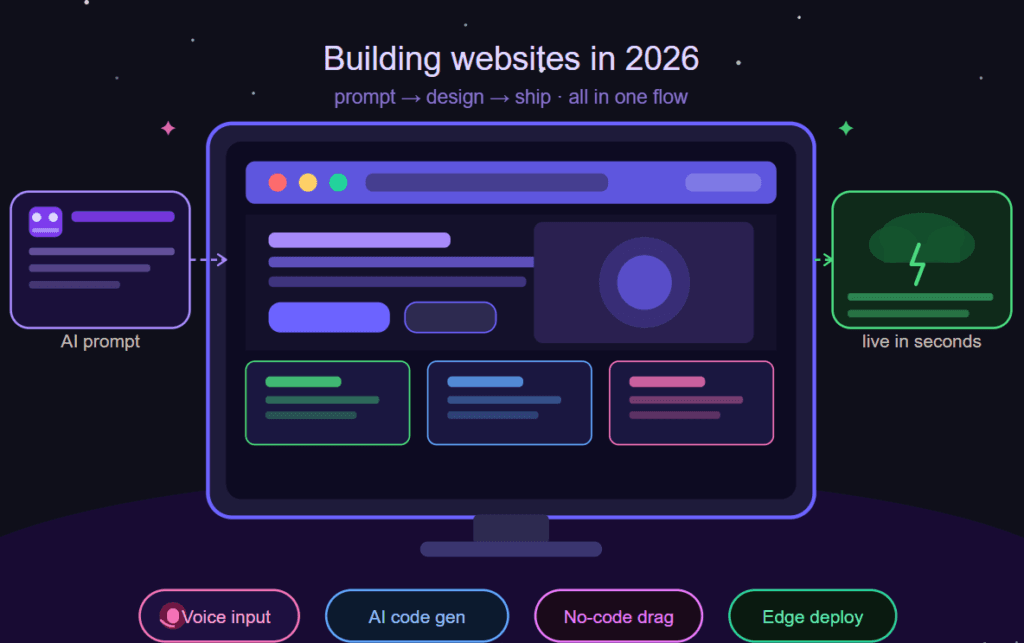
Introduction to Create Website
As we can see, nowadays creating a website has become very important. Any work we want to do now seems almost impossible without an online platform.
If you want to start your e-commerce business, or want to earn money through blog writing, or want to help small businesses, in all cases there is a need to create a website, and this is also a high paying skill.
Today’s blog will guide you step by step through the website creation process, and this blog is mainly made for beginners who have no idea about websites from scratch!
Important points to keep in mind when creating website
Before you learn the hard parts of making a website, you should know the basic things first.
A website is just a few pages kept on a server, and people open it by using a domain name.
Many people use Wix, Squarespace or WordPress because these tools help them make a website even if they don’t know coding.
Choosing a Platform to Create Website
The most important thing is that to create a website, you choose the right platform. There are many applications for making websites, among which one is a website builder that is beginner-friendly, and the other is WordPress, which is used by most people because it offers more beginner-friendly options. It is perfect for those who want to create their entire website with a small investment.
Free vs Paid Options for Website
If you are thinking of making a website yourself, then first you might think of making it for free; there are also options like Wix, Canva, Google Sites, Weebly. But there are quite a few limitations in these.
I understand that people are ready to work hard, but investing before seeing results can seem a bit risky. In my personal opinion, if your entire business can be built on a website and you will also get privacy, and it is user-friendly, then you can invest.
Steps to Create Website
Now let’s break down the steps required to create a website from scratch.
1. Register a Domain Name for Website
- Taking a domain name is like you are buying your name as a property on the internet that nobody can snatch!. During buying domain name keep in mind that the name should be short and easy to remind. Many sites help you buying a domain name, like GoDaddy or Namecheap, and they make the process simple. I used these before and it was not too hard.
2. Importance of Domain in Website
A domain name is the first thing people see, so choosing a good name matters. When the name is clean and simple, people feel the website is real. When you make your website, just remember not to pick a very long or hard name. A short and clear name works better, especially when you are just starting.
3. Select Web Hosting for Website
There is a term in websites called Web Hosting, in which website files are stored. There are quite popular web hosting providers like Bluehost, SiteGround, and HostGator, otherwise you can search on Google.
4. Design Your Website
Building a website doesn’t seem so tough once you know the basics. Once you buy Hostinger and log in to WordPress, you are ready to publish your first blog.
Other terms related to Create Website
Templates
A template is a ready layout. It already shows where the text will come and where the photos go. You just pick a template and then put your own things in it.
Themes
A theme controls how your whole website looks. It decides the colors, fonts and the design. When you change the theme, the website look also changes a lot even if your content stays same.
Plugins
A plugin adds extra features to your site. Like a contact form, a slider or some security tool. When you need some new function, you just install the plugins and it works.
5. Add Content to Website
No matter which platform you create a website on, the quality of the content should be there. The platform does not matter, but the quality of the content matters. After that, you have to upload images, try to create and upload them yourself, it increases the chances of ranking on Google.
Also, add sections like About, Contact, and Services in it.
6. SEO Optimization
Creating content is not enough, making the content rank is also an important feature. If our content is published but not ranking, it will not be able to generate traffic. This will prevent the website from being used effectively. Beginners should focus on good website keywords, the content’s meta description, and most importantly, the meta title.
7. Publish and Promote Website
After doing content, image, and SEO, your blog is ready to be published. Now it is time to promote it. Share your blog on social media, this will let people know about your website and blogs, and they will read it and traffic will be generated.
8. Analytics and Tracking for Website
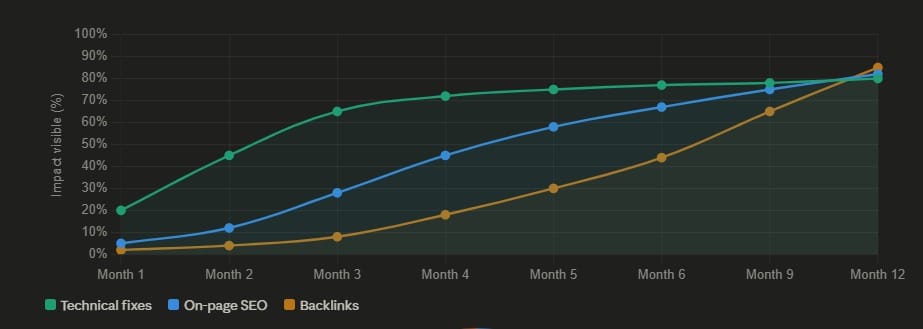
There is a tool that is very important for tracking, which is Google Analytics. It is used to track visitors and improve the performance of the website. It is a very easy and important tool for beginners, so they can track the website’s performance without any technical process.
Conclusion:
In the beginning, it becomes a little difficult to use it, but once you become friendly with it, from creating a website to publishing it, everything starts to seem easy.
If you make it with WordPress, this has tools and guidance built especially keeping beginners in mind.
Many people, after learning to create a website, have started earning money from it. If you publish with consistency, you too can start your own income.