
What is Technical SEO?

Technical Seo comes when sometime your website is not ranking and you might think the problem is in the content, but it could also be a technical problem. In many cases, it has been seen that fixing technical issues improves the website’s ranking. Technical, in simple words, means focusing on how your website is built and how a search engine can easily access that website. To do all this, the search engine has to read and understand your website’s blogs, then it decides on which page to rank. If the site is slow, broken, or the intent is not clear, it will not rank.
Some important parts are:
- Pages should load fast
- Search engines should be able to find all your pages easily
- Fix the errors that are preventing indexing
- Keep the website secure (use HTTPS)
Why Technical SEO Matters in 2026?
Search engines give a lot of importance to user experience. If your website is slow or has errors, people leave immediately. This makes Google think that the website is not useful.
For example, if your page takes more than 3 seconds to load, many users leave without reading.
By doing proper technical SEO, you get these benefits:
- Pages get indexed quickly
- Chances of ranking improvement increase
- Visitors stay on the site longer
- Users’ trust becomes stronger
Core Elements of Technical SEO
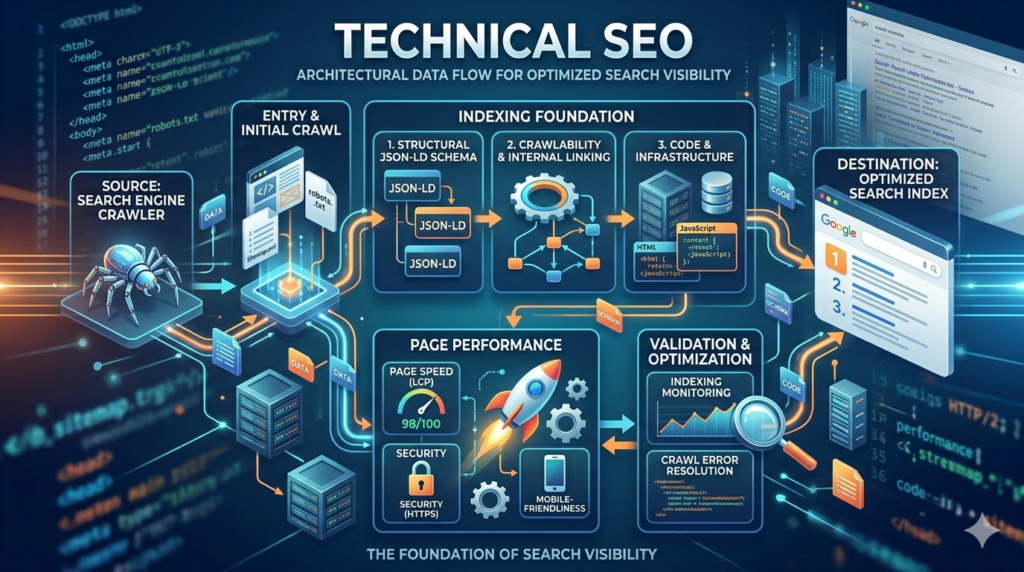
1. Technical SEO and Website Crawlability
To improve crawlability:
- Keep your URL structure simple
- Fix broken links regularly
- Submit your sitemap
- Check your robots.txt file
2. Technical SEO and Indexing
Crawling is the first step. Indexing is the next. This is where your pages get stored in Google’s database.
If a page is not indexed, it will not rank.
To improve indexing:
- Use Google Search Console
- Avoid duplicate pages
- Use canonical tags correctly
3. Technical SEO and Website Speed
Speed directly affects both ranking and user behavior.
If your site loads in 1–2 seconds, users are more likely to stay and explore.
You can improve speed by:
- Compressing large images
- Reducing unnecessary code
- Using caching
- Choosing a reliable hosting provider
4. Technical SEO and Mobile Optimization
Google also checks your mobile version first.
Make sure:
- Your design adjusts to all screen sizes
- Text is easy to read
- Buttons are easy to tap
5. Technical SEO and HTTPS Security
People trust secure websites. Google does too.
You need:
- An SSL certificate
- HTTPS enabled on all pages
- No mixed content errors
6. Technical SEO and Structured Data
Structured data helps search engines understand your content better.
For example, adding FAQ schema can help your page appear with extra details in search results.
This can increase your click rate even if your position stays the same.
Top Technical SEO Tools in 2026
- Google Search Console helps you track indexing and errors
- Screaming Frog scans your site and finds technical issues
- Ahrefs Webmaster Tools gives you audit reports
- SEMrush shows overall SEO health
- GTmetrix analyzes your speed
- PageSpeed Insights gives performance scores
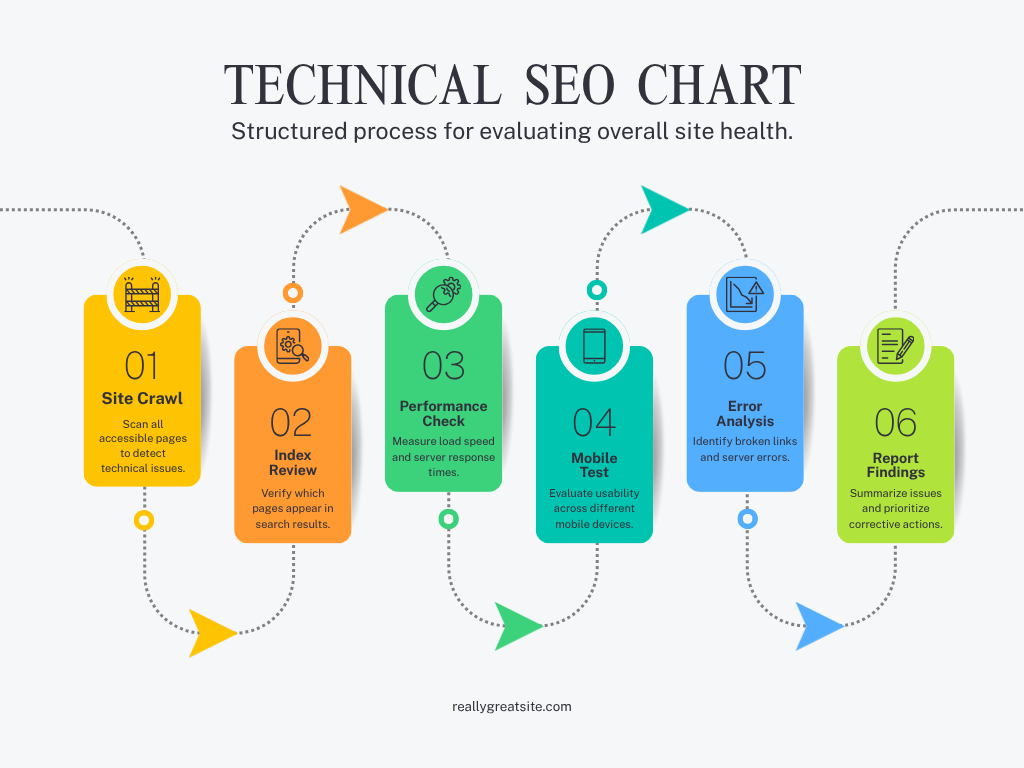
If you are starting fresh, follow this simple order:
Setup:
- Choose fast hosting
- Install SSL
- Keep URLs clean
Basic Optimization
- Submit sitemap
- Fix crawl errors
- Improve speed
- Make site mobile-friendly
Advanced Improvements
- Add structured data
- Improve Core Web Vitals
- Fix duplicate content
Common Technical SEO Problems
- Slow loading pages push users away
- Broken links create a bad experience
- Duplicate content confuses search engines
- Wrong redirects block access
- Poor mobile layout reduces engagement
- Fixing all these will cause changes in your site’s ranking and traffic.
Role of a Technical SEO Specialist in websites
- Run audits to find issues
- Fix crawling and indexing problems
- Improve speed and performance
- Add structured data
- Monitor website health
For example, if your pages are not showing on Google, they will check indexing settings and fix the root cause.
Technical SEO vs On-Page SEO
Content and keywords are both worked on together on a page, but the focus is on other areas, both focus on SEO.
The work of the backend is the work of Technical SEO.
It focuses on content and keywords in on-page SEO.
To rank a website, you have to fix both.
Future Trends in Technical SEO (2026)
- AI is improving how content is understood
- Core Web Vitals are becoming stricter
- Voice search is increasing
- Mobile-first indexing is standard
- Websites that adapt early will have an advantage.
Conclusion:
Technical SEO is where your website’s performance begins. If this part is weak, everything else struggles.
Start simple. Make sure your website loads fast, works well on mobile, and is easy for search engines to understand.
Use tools regularly. Fix issues as they appear. Over time, these improvements build a strong base that helps your content rank.
If you stay consistent, even a new website can start gaining traffic and visibility.